



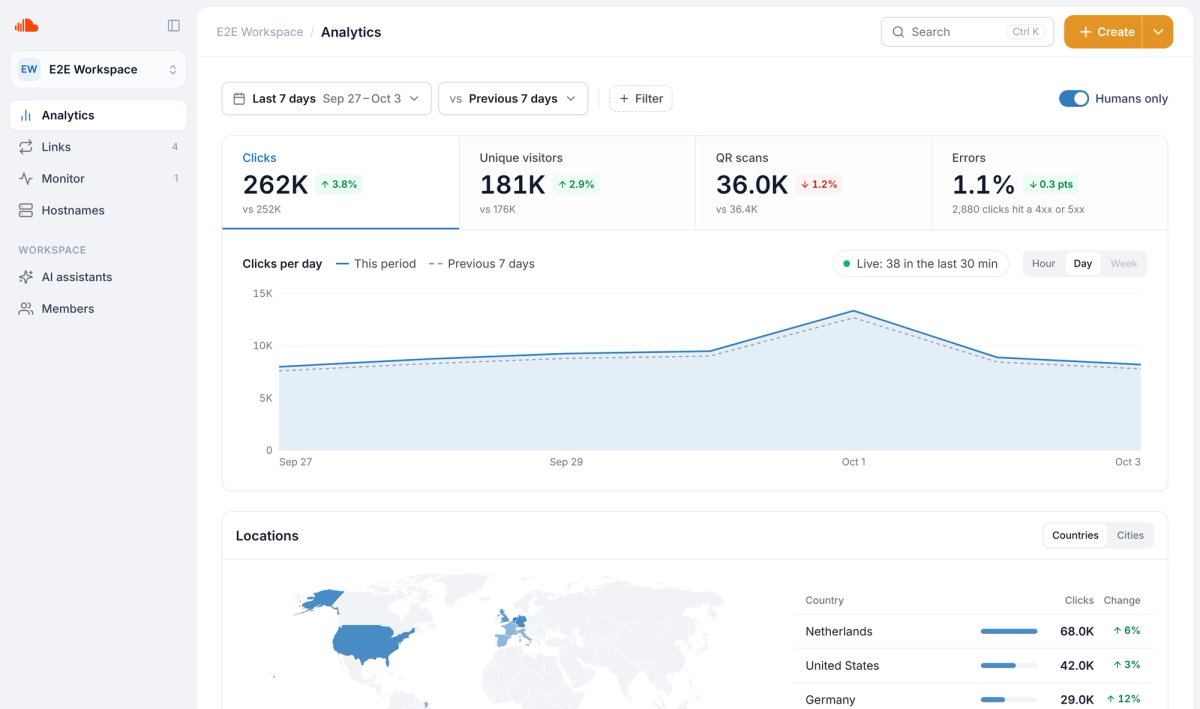
Analytics: filters, comparison and cards on one page
Analytics is now the first thing you see. Pick a date range, compare it with the previous period or the same period last year, and filter by country, link, domain, tag, referrer, device or response. Everything you set lives in the page address, so you can bookmark a view or send it to a colleague.
What you get#
- Four headline numbers. Clicks, unique visitors, QR scans and errors, each charted against its own previous period.
- Six cards. A map of where clicks come from, your top, rising and falling links, sources, domains and tags, technology, and redirect status codes.
- Click to filter. Click any row, country or device and the whole page follows. View details opens the full list with search and a CSV download.
- Status codes on every plan. See which redirects return 4xx or 5xx errors, and filter by response code.
- Clear about gaps. Where data does not go back far enough, the page says so instead of showing zeros.